


Accessible writing
What you will learn in this chapter
- Tools to make your writing more accessible
- Plain English and tips for writing for the web
- Readability guidelines and style guides
Introduction
Content is often overlooked when talking about accessibility. But your writing style, and the words you choose are really important.
If your customers don’t understand your:
- information
- product description
- instructions
- promotions
- and so on
They won’t engage with your brand, product or service.
How do you make your writing accessible?
- Use plain English.
- Avoid complex words and jargon, or explain them.
- Avoid metaphors.
- Use the active voice.
Below are some tools to help you write accessible content. We’ve included an explanation of what each does.
Hemingway App
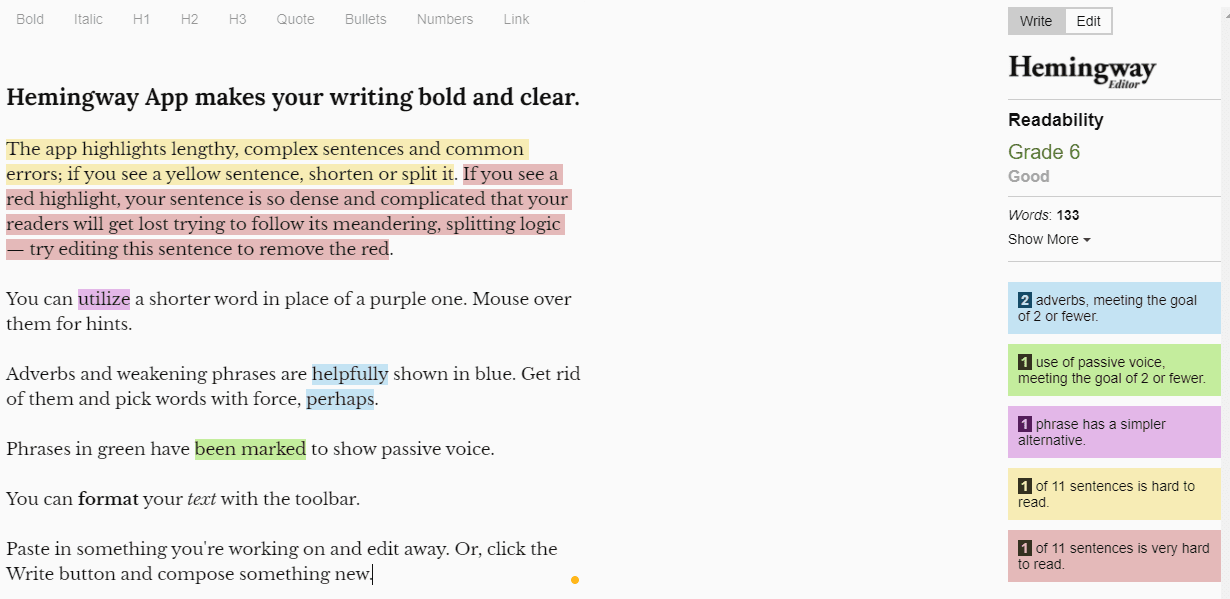
Hemingway App is a great tool for editing content and checking readability. You can paste a piece of content into the online editor.
It will give you a readability score and tell you if that score is:
- Good
- Ok
- Poor
It will also give you guidance on what to aim for if your text is ok or poor.
“Grade 14. Poor. Aim for 9.”
The readability score also relates to American grades. We recommend aiming for grade 6 to 8.
It also highlights:
- hard to read sentences in yellow
- very hard to read sentences in red
- passive tense
- adverbs
- phrases with simpler alternatives
It’s not a perfect tool. but if you can reduce your hard and very to read sentences, you will improve the readability a lot.
Readability scores
There are different readability scores to help you make your writing more accessible. We’d normally recommend Hemingway app as the main tool but it may not be accessible to everyone.
Other popular readability scores are the Gunning Fog Index and Flesch Kincaid. These usually give a score that are associated with American grade levels.
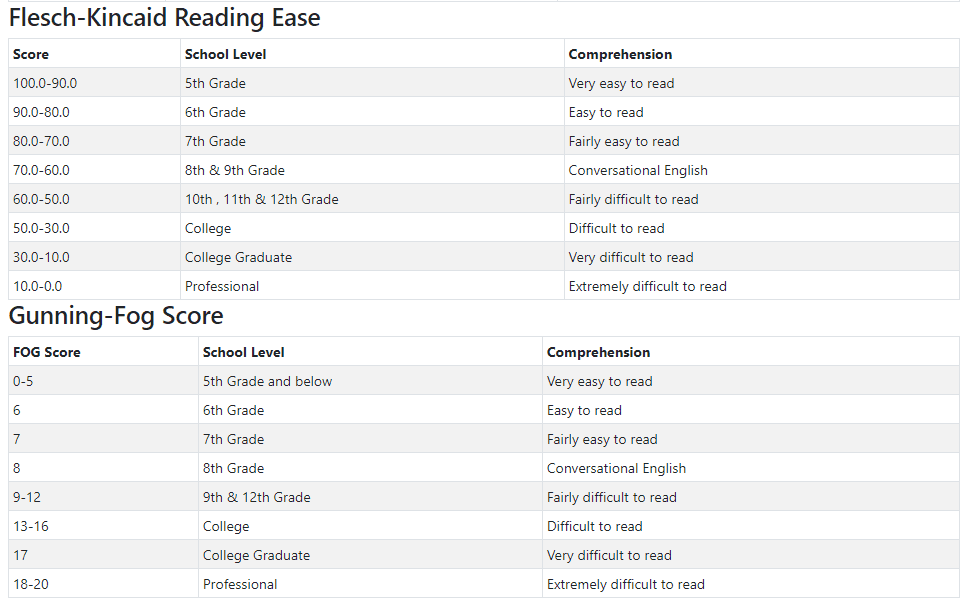
For Gunning fog index and Flesch-Kincaid grade level, we recommend aiming for between 6 to 8. For Flesch-Kincaid reading ease aim for between 70 and 100.
We’ve found a tool that gives your content scores for each of the different readability formulas. Paste your content into the text box and a readability score for each will appear in the table on the right.
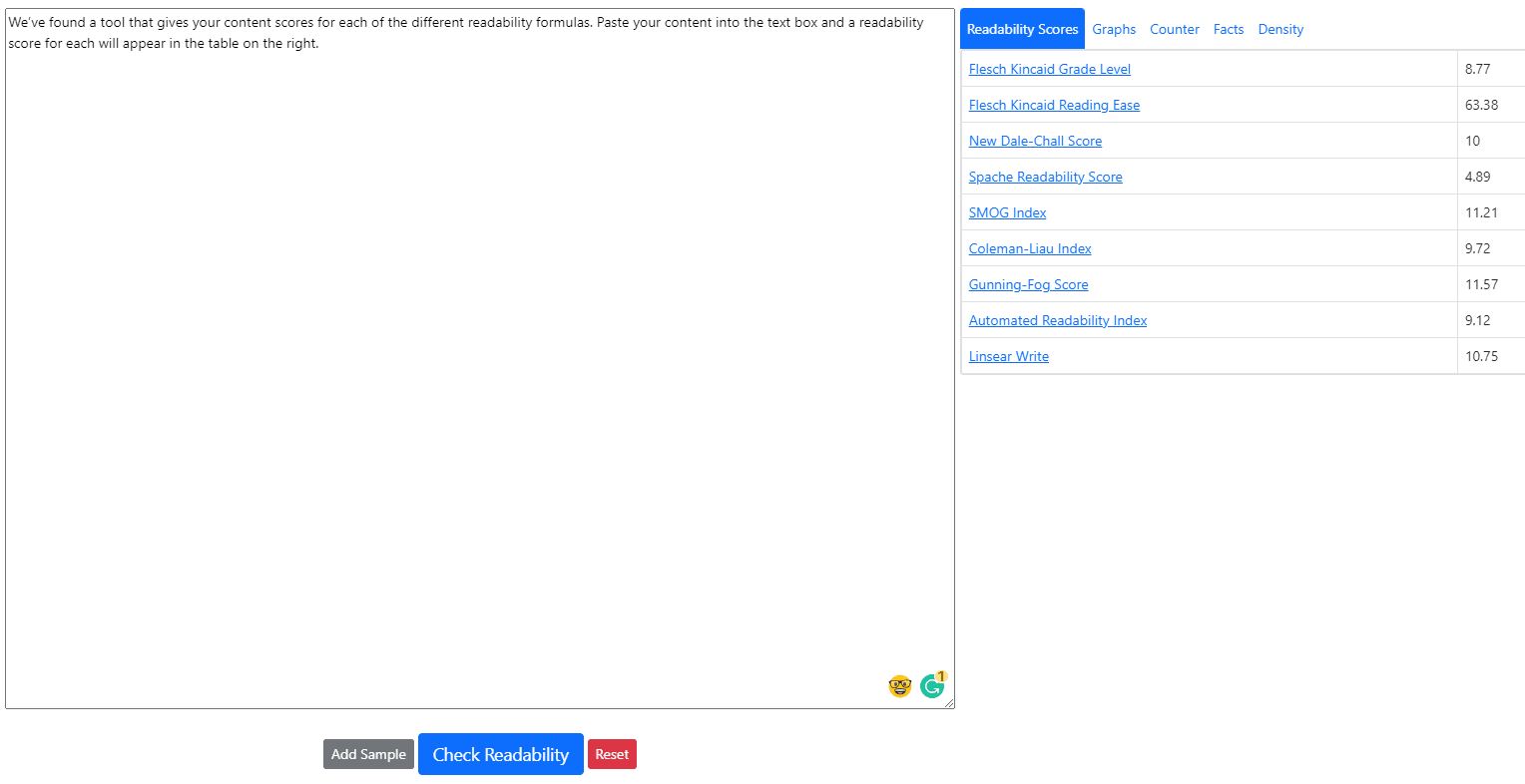
Each score links to the explanation tables further down the page.
Readability calculator (textcompare.org)
Plain English Campaign
The plain English campaign work to remove:
- jargon
- complex language
- misleading public information
They have a range of resources to help improve language and replace jargon and complex words. This includes guides such as:
- how to write in plain English
- A to Z of alternative words
- glossaries for financial, legal and pension terms
W3C writing for web accessibility tips
This page guides on content accessibility. It also relates each topic back to the WCAG guidance. Each section includes examples on how to do each tip. Some sections even link to further guidance or user stories.
Tips include:
- providing informative, unique page titles
- using headings to convey meaning and structure
- making link text meaningful
- writing meaningful text alternatives for images
- creating transcripts and captions for multimedia
- providing clear instructions
- keeping content clear and concise
Writing for web accessibility (W3C)
Readability guidelines and helpful style guides
Content Design London developed a universal content style guide based on usability evidence. Content collaborators in multiple sectors contributed to the project. They worked together to create evidence-based readability guidance.
There are 5 sections:
- clear language
- grammar points, like abbreviations, ampersands and contractions
- audiences, devices, channels
- content design
- images
Readability guidelines (Content Design London)
As well as looking at the readability guidelines, take a look at NHS and GOV.UK style guides.
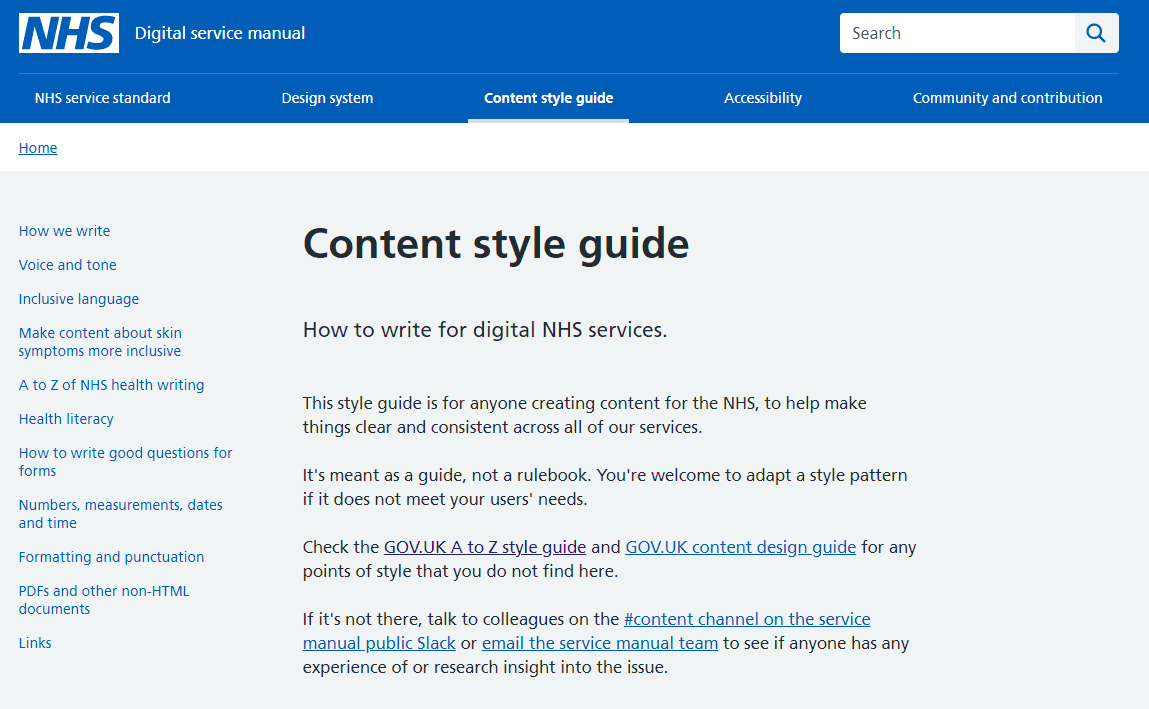
Both websites have transformed and worked to improve the accessibility of the content. This is reflected in their style guides.
Using these resources can help you to:
- see how others have made changes
- update existing style guides
- change working practices within your own organisation